Before posting in a founder community, check who can view the post, whether people outside the group can find or open it, what the rules say about reuse, and what editing or removal means in practice. Look for current settings and policies or ask an administrator; if an answer is unclear, share less or wait until you can confirm it.
Use four checks before you share
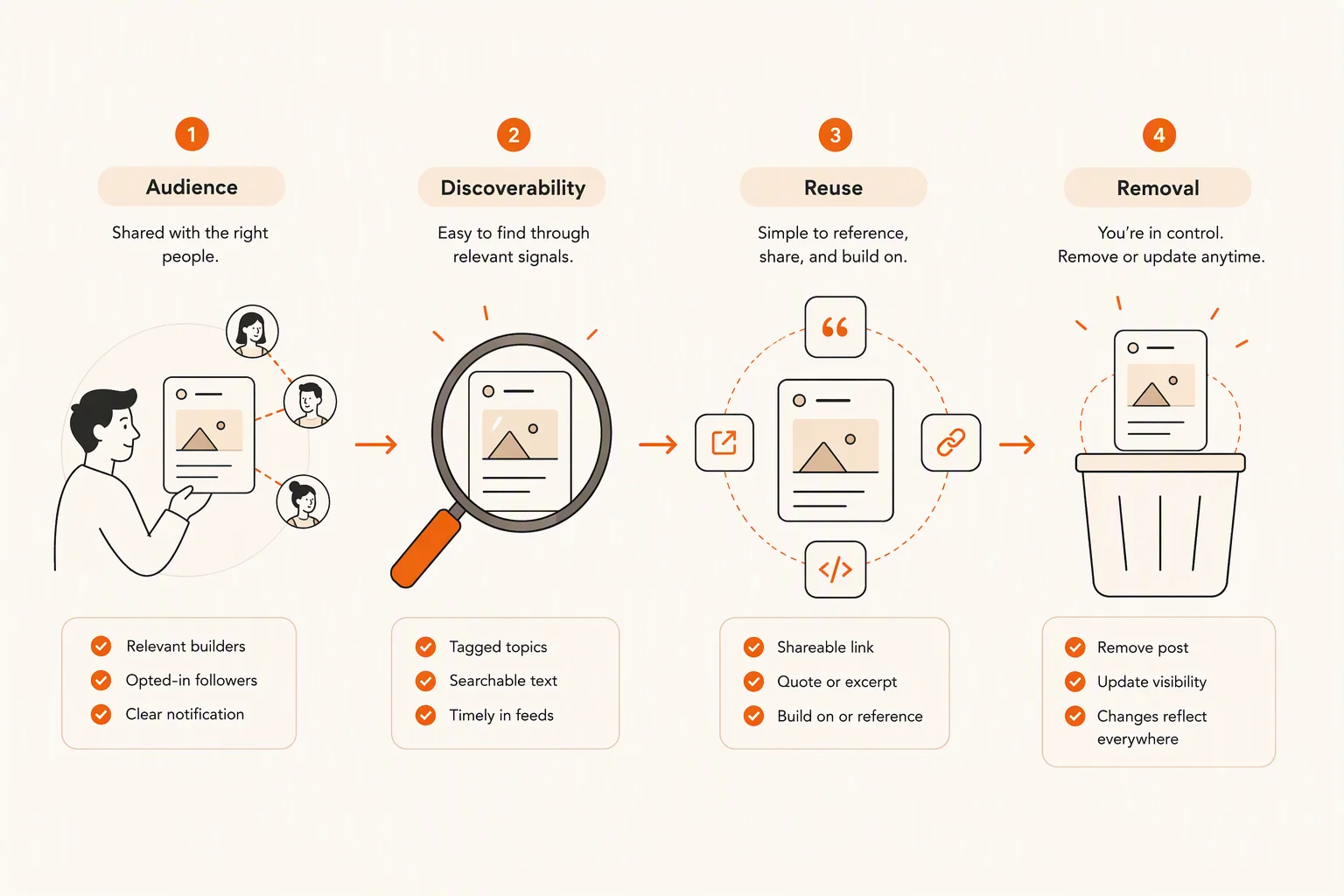
A founder community can give you a place to document progress and ask peers for input. But its name or format doesn’t tell you what happens to each post. Check four separate things: audience, discoverability, reuse, and removal.
This four-check framework is an editorial decision aid, not a test of a named platform or a claim about any community’s controls. The sources discussed here offer different advice about building in public, but they don’t establish who can view a particular community post or what happens to it after deletion. Verify those details in current settings and policies.
Audience: Who can view the post and its replies?
Discoverability: Can someone outside the group find or open it?
Reuse: What do the rules say about quoting or sharing it elsewhere?
Removal: What can you edit or remove, and what does the policy say happens afterward?
Who can see your post?
Check the audience for the specific post you plan to write, not just the community’s general description. Access might depend on the group, post type, or settings you choose. Look for information about members, moderators, invited guests, and people who haven’t joined. Check whether the same audience can see replies, your profile, and any preview of the post.
Words such as “closed,” “private,” and “members-only” don’t explain themselves. Ask what they mean in practice and how new members are approved. If an administrator says only members can read posts, ask whether that includes direct links and previews. If you can’t verify the answer, treat the audience as uncertain.
Think about who else the post might identify. A customer’s name, a distinctive story, a private message, or a screenshot may reveal who they are even if you remove their name. Guides to building in public recommend setting boundaries around sensitive information. Bolder Agency’s guide discusses keeping sensitive financial and operational details confidential, while Chinmaya Shankar’s guide lists confidential work information and personal details among possible boundaries.
Can non-members see the post, replies, profile, or preview?
Who can join, and who approves new members?
Can you set the audience for an individual post?
Could the draft identify a customer, teammate, or partner who hasn’t agreed to be included?
Can the post travel beyond the community?
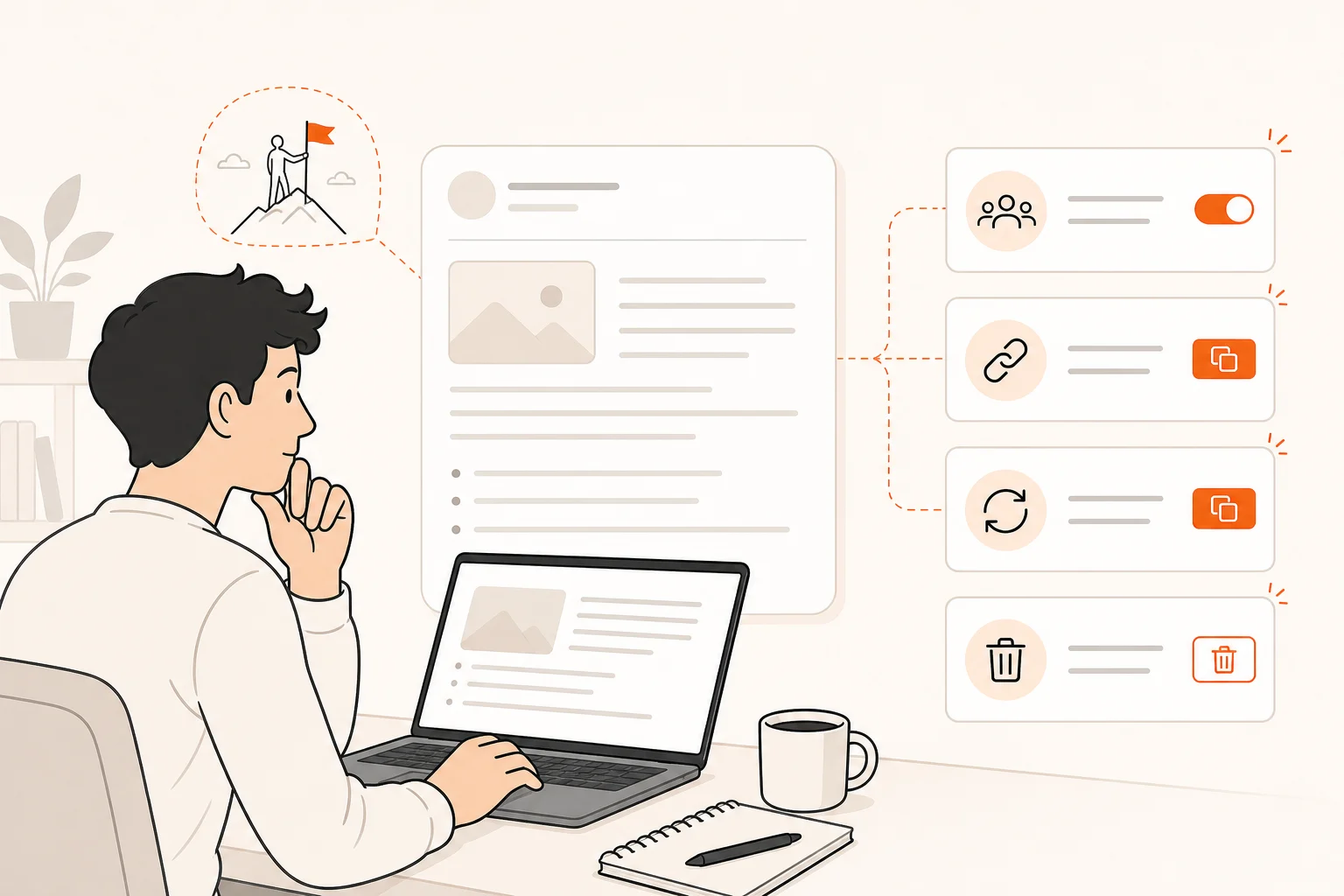
Access and discoverability are different questions. A post may be meant for members, but you still need to find out whether a non-member can open its link, whether the community has public pages, and whether its provider describes posts as searchable or shareable. These are details to verify in current settings and policies, not features to assume are present or absent.
Ask an administrator what someone without membership can see. If the answer depends on the group or post type, ask about the one you plan to use. When there’s no clear answer, write as though the post could reach beyond its first audience. Leave out details you wouldn’t want repeated.
A platform’s role in your publishing plan doesn’t settle how widely a specific post can be seen. Buildside’s guide to where founders can build in public separates a durable home for product context from a reach channel and a launch platform. That’s a way to think about what a channel is for, not evidence about a community’s visibility settings.
Can someone without membership open a direct link?
Does the provider explain whether posts or profiles are public or searchable?
Do the rules address forwarding, screenshots, or sharing elsewhere?
If you can’t confirm these details, can you ask for feedback without names, exact figures, or sensitive plans?
What do the rules allow others to reuse?
Look for current rules about quoting, copying, reposting, screenshots, and sharing posts outside the group. Check whether the platform’s terms and the community’s member rules cover these separately. If the wording is unclear, ask the provider or an administrator what it means before relying on it. This is a practical pre-posting check, not legal advice.
A rule asking members to respect one another’s posts is useful context, but it isn’t proof that nothing can be repeated. Separate what a policy asks people to do from what it says the provider is permitted to do. Neither statement guarantees that a post will stay within its original audience.
Gaby Goldberg’s guide includes screenshots and internal messages among possible building-in-public content. That example doesn’t establish that sharing someone else’s message is appropriate in your community. Get permission before including another person’s words or identifying details, and check the rules first.
Do the rules say whether members may quote or repost your words?
Do they address screenshots and sharing outside the group?
Are customer information and other members’ posts treated separately?
If the policy is vague, ask what “sharing” permits instead of guessing.
What can you edit or remove later?
Find out what the editing and removal options actually do. Can you edit or delete your own post? Can moderators hide or remove it? Does the current policy explain what may remain after you remove a post or close your account? Check account closure separately if you might leave the community. A button or setting won’t necessarily answer every part of this.
Editing or deleting a post isn’t the same as recalling it. Someone may already have read, saved, or repeated what they saw. You don’t need to guess what a particular service retains; avoid sharing something that depends on being able to take it back. If the rules don’t explain what happens after removal, ask.
Your comfort with visibility may change as your business does. Mercury’s discussion of building in public describes transparency as a spectrum and recommends setting boundaries that can change over time. Reassess each post rather than treating an earlier decision to build in public as permanent permission to share everything.
Can you edit or delete your post yourself?
What can moderators remove, and what rules explain when they do it?
What does the policy say may remain after deletion or account closure?
Would you still be comfortable sharing if you couldn’t later edit or remove the post?
Worked example: a customer interview and a pricing idea
Imagine drafting this update: “Three customers struggled with onboarding. I’m considering changing our pricing and packaging. What would you do?” This is a hypothetical example, not a Buildside or competitor test. It combines customer feedback with a commercial decision, so check it against all four questions before posting.
For audience, find out who can read the post. Remove customer names and details that could identify them unless you have permission to share them. Then check discoverability: can someone outside the community open the post or its link? If you can’t confirm that, simplify the draft rather than assuming membership makes it private.
For reuse, check what the current rules say about quoting or sharing the post elsewhere. If they’re silent, ask. For removal, find out whether you can edit the post and what the policy says may remain after deletion. Even a clear removal option wouldn’t make it sensible to publish details you need to keep confidential.
Next, decide what feedback you actually need. If you want advice on onboarding, you may not need to mention pricing at all. A lower-detail version could be: “We’re seeing friction in early onboarding and are reviewing which questions users need answered sooner. What would you ask before revising the flow?” If you want feedback on packaging, ask a general question without exact prices, customer identities, or an unannounced plan.
The revised wording doesn’t make the post private or guarantee it can’t be repeated. It keeps the useful question while reducing the details that could expose customers or a commercial decision. If you need confidential feedback, choose a channel and audience whose controls you can verify.
Keep: the problem you want help thinking through.
Remove or generalize: customer identifiers, exact prices, and sensitive plans.
Pause: if the audience, reuse rules, or removal policy remains unclear.
Match the detail to what you can verify
The point isn’t to avoid building in public. It’s to choose an amount of detail that fits the post and the controls you’ve actually confirmed. Bubble’s guide discusses sharing progress while cautioning that building in public doesn’t mean sharing everything. The Bootstrapped Founder argues for greater caution with specific business details. These are different editorial perspectives, not evidence about any community’s settings.
Use your four-check result to choose what to do next. If the audience and rules suit your draft, share it as written. If you want input but haven’t confirmed every detail, remove names, figures, or specifics and ask a more general question. If the post includes confidential information or depends on a restriction you can’t verify, ask first or use another channel.
You can also share the lesson without sharing the underlying data. Describe what you learned without publishing a customer’s exact words, a precise metric, or a detailed roadmap. The right level of detail depends on what you need from the conversation and what you’re willing to have repeated.
Share as written when the audience and rules are clear and suit the content.
Reduce the detail when you want feedback but still have exposure questions.
Ask first or use another channel when confidentiality matters or a key policy is unclear.
What to verify before you join
Read recent posts to get a feel for the community’s tone and how members take part, but keep that separate from checking content controls. GrowthMentor’s guide to founder communities suggests reviewing recent activity to judge whether a group has discussion or mostly announcements. That may help you assess the conversation; it doesn’t tell you who can view or reuse a post.
Before sharing anything sensitive, check the current settings and policies or ask an administrator. Note what you confirmed, what remains unclear, and what kinds of details you’ll leave out. Recheck if the provider changes its rules, the community changes format, or your business has new information to protect.
Who can view posts, replies, profiles, and previews?
Can non-members open a post link or see a public page?
What do the rules say about quoting, copying, screenshots, and reposting?
Can you edit or delete posts, and what may remain afterward?
Can an administrator clarify anything the settings or policies don’t explain?
Would you be comfortable if the update reached someone outside the community?
Next step
Looking for a place to share your founder journey? Start your free Buildside trial, then review the current settings and policies before deciding what to post.
References
- How to Successfully Build in Public: A Guide for Entrepreneurs
- Building in Public: A Detailed Guide for Everyone | Chinmaya Shankar
- Where to build in public as a SaaS founder | Buildside
- The Building in Public How-To Guide | by Gaby Goldberg | Medium
- Building in public: Is this the right approach for your startup? | Mercury
- The Case for Building in Public: A Founder's Guide | Bubble
- Building in Public: Risks and Strategies for Founders
- 15 Best Startup Communities for Founders (2026) | GrowthMentor